
Your sales numbers, live
The LDC Dashboard reads your CRM and your ad account, then shows where your leads come from, where they drop off and what each customer costs you. We set it up as part of our CRM & Follow-Up System.

Every number that decides your month
Each screen answers one question. Open a card to see the leads behind the number.
Overview
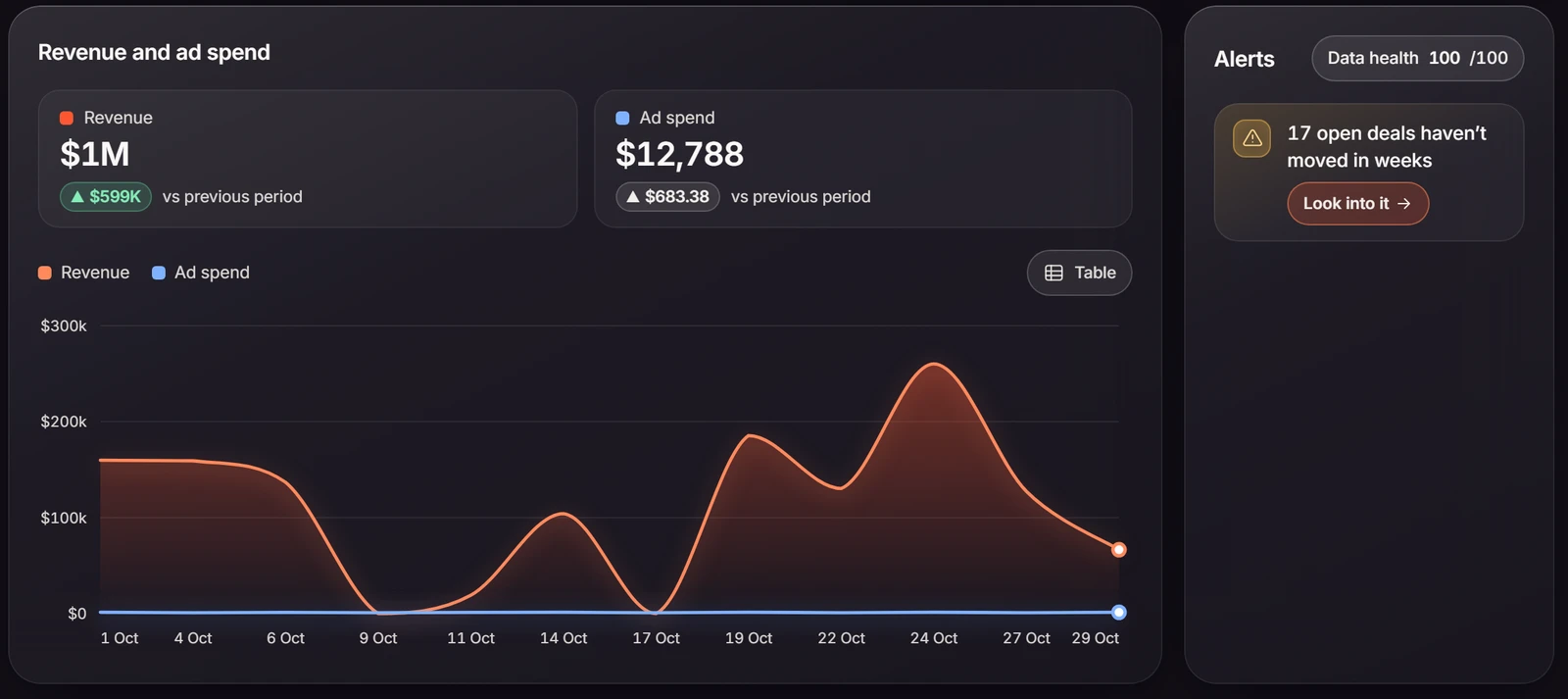
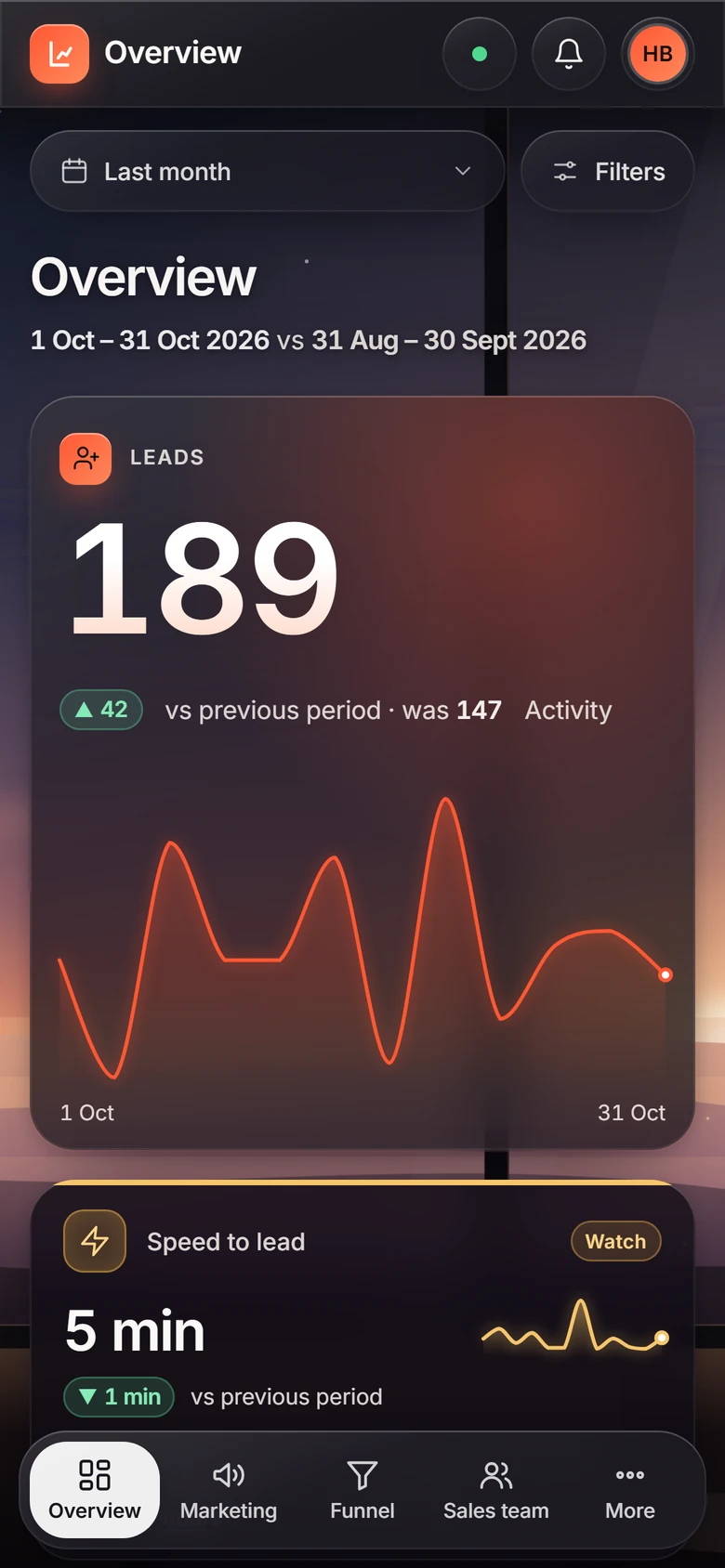
How many leads came in, how fast your team called them, and how many booked, showed up and bought, each compared to the period before. Revenue sits next to ad spend, and alerts tell you when something needs you, like deals that haven't moved in weeks.
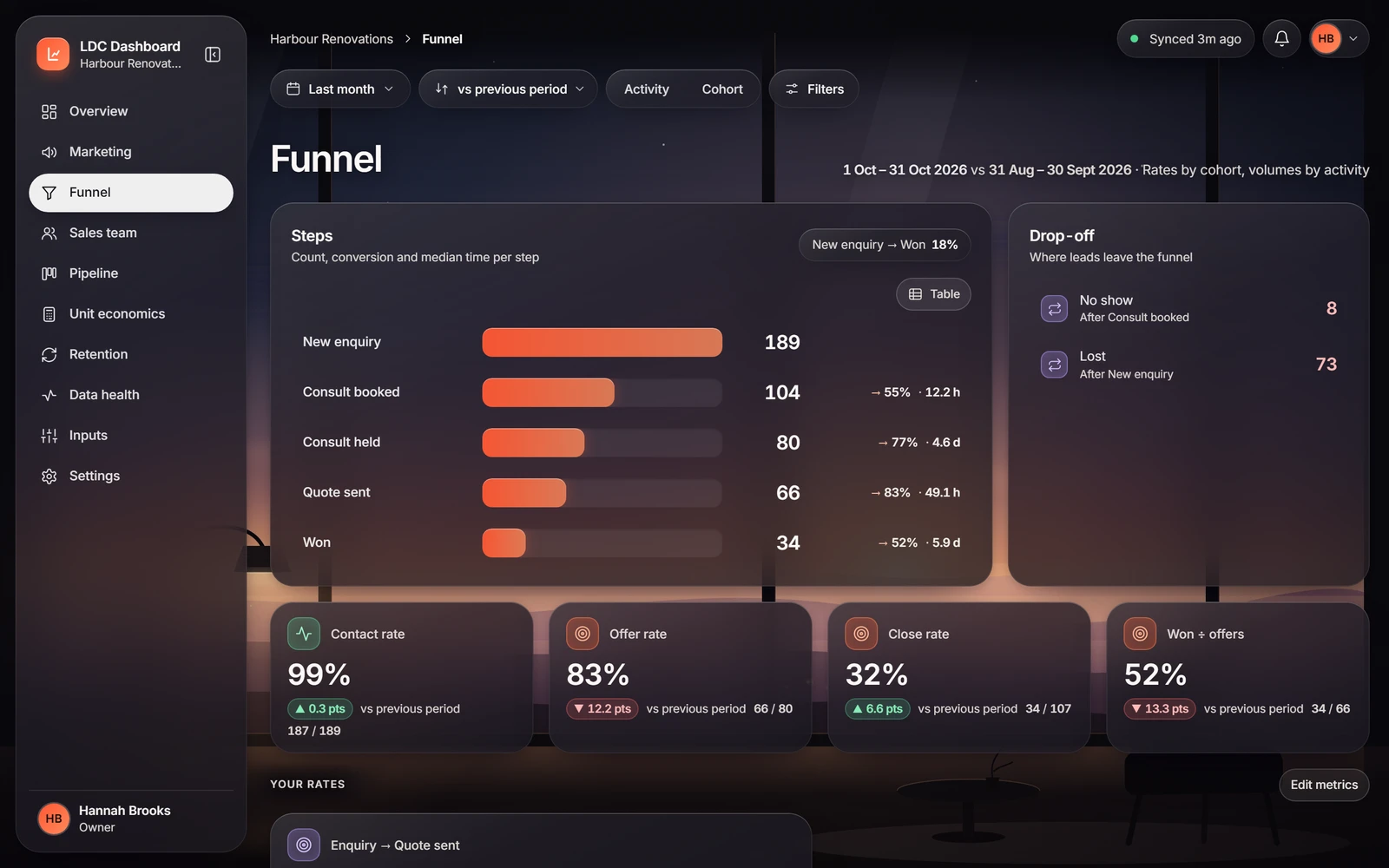
Funnel
Your sales process step by step, from first enquiry to won deal, with the conversion between each step. The biggest drop-off is where to look first.
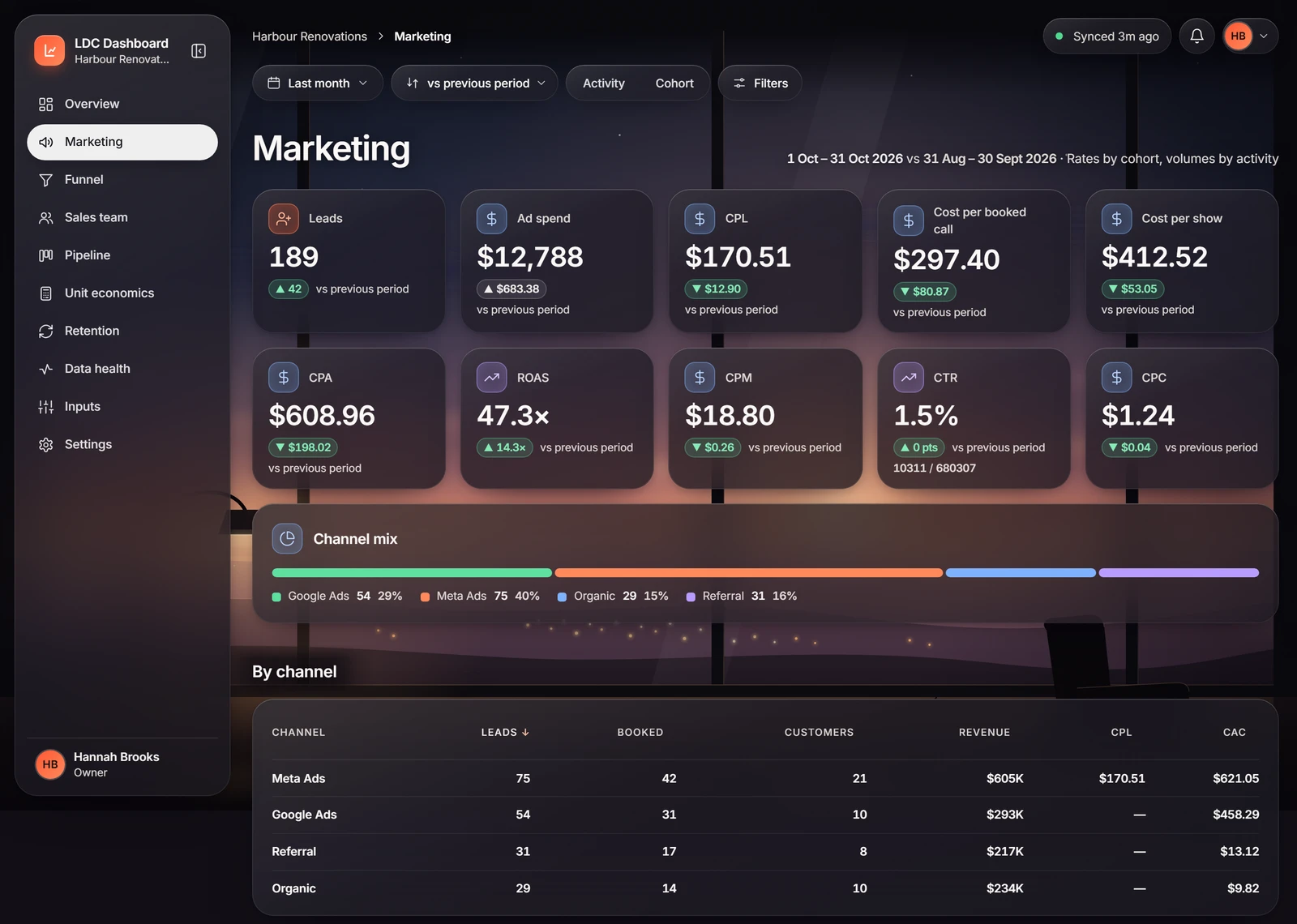
Marketing
Leads, bookings and sales by channel and campaign, next to what you spent. You see your cost per lead and your cost per customer.
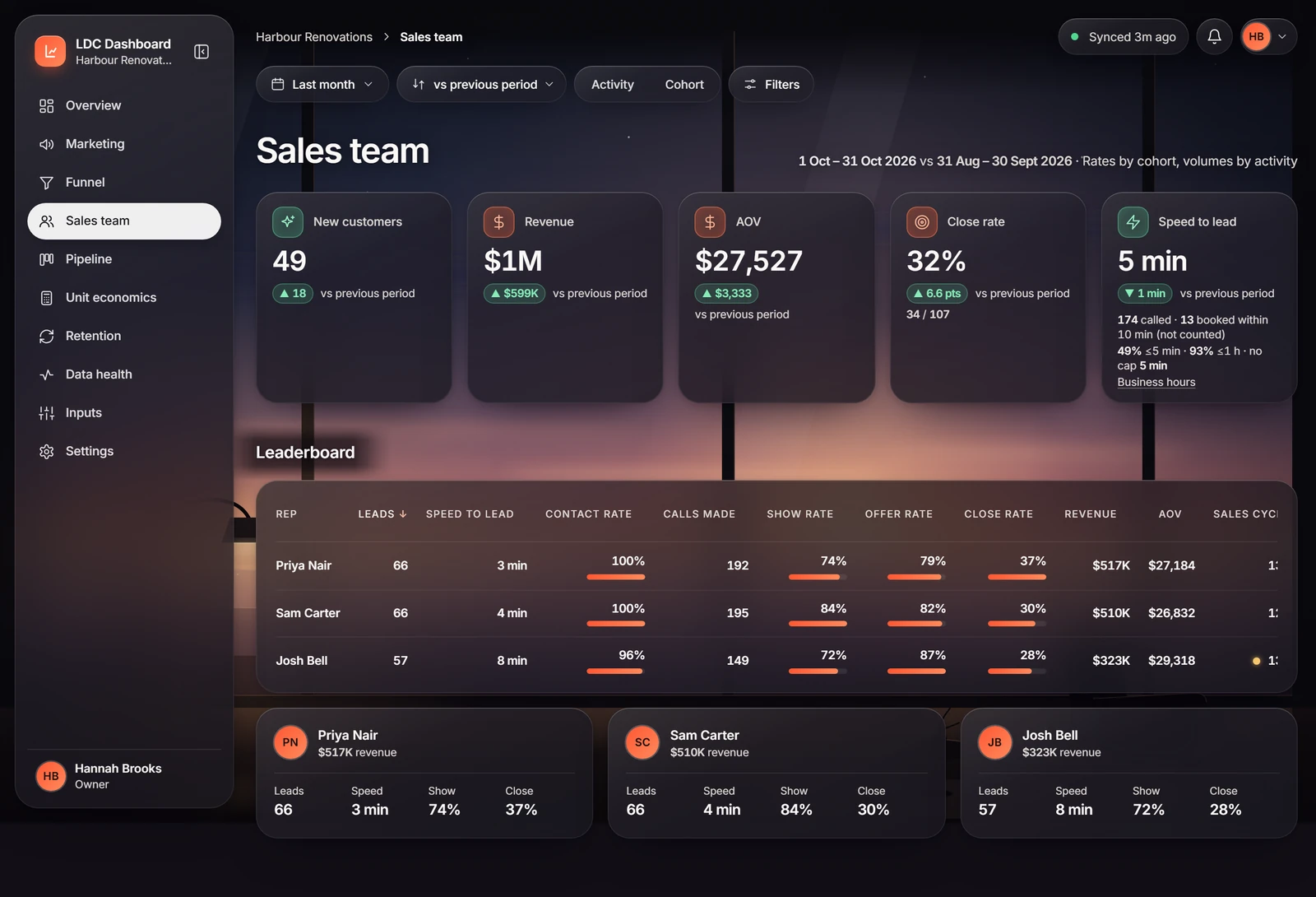
Sales team
Each person's leads, how fast they call new leads, calls, show rate and close rate side by side, so you know who needs a hand.
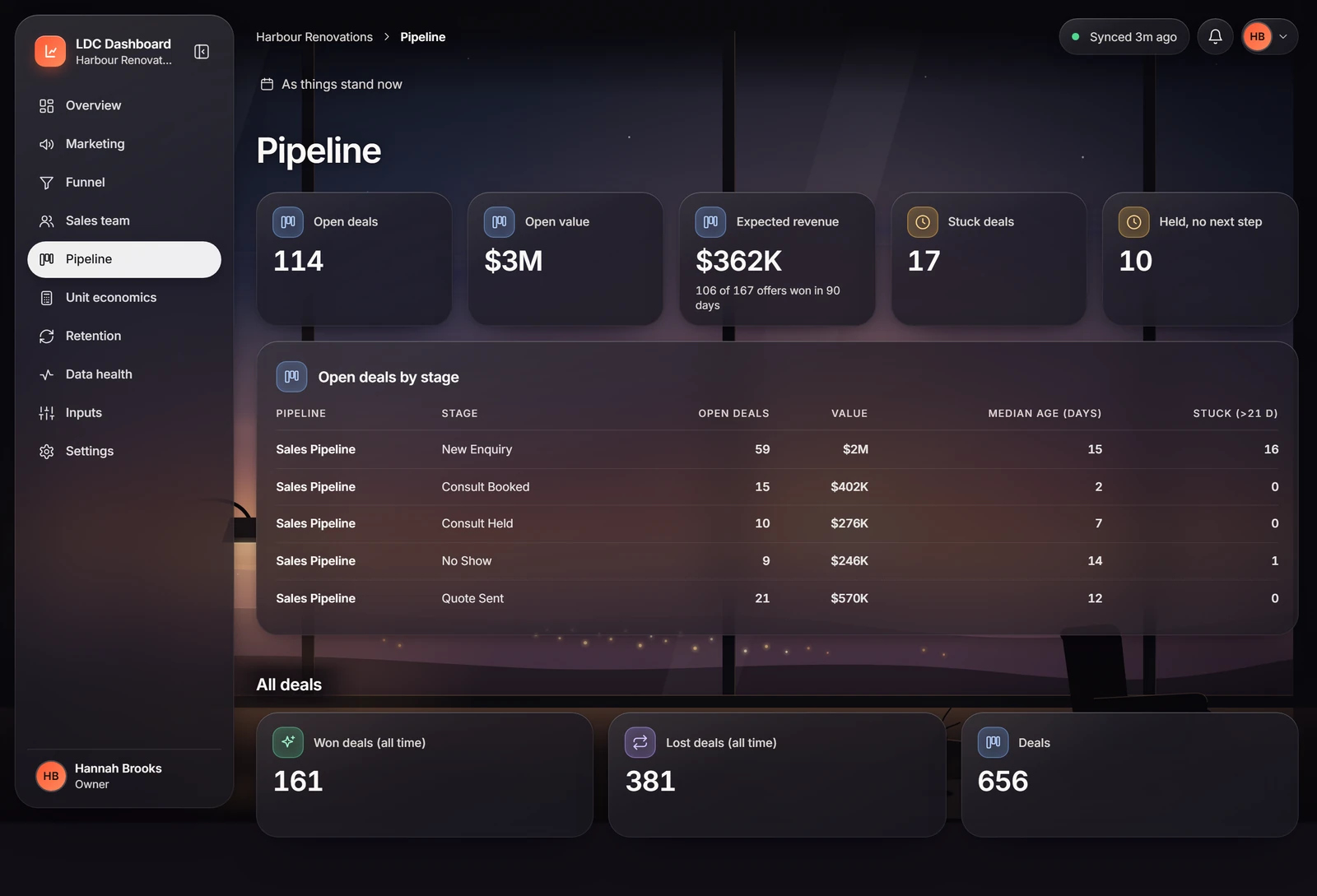
Pipeline
It lists every open deal and the stage it's sitting in, and counts deals stuck for more than three weeks, so nothing goes quiet without anyone noticing.
Built to be trusted
- Synced with your CRM. It keeps up with GoHighLevel as your team works, so nobody types numbers into a spreadsheet.
- Your ad spend included. Connect your Meta ad account and the dashboard fills in cost per lead and cost per customer on its own.
- Read only. It reads your CRM and ad account and never changes anything in them.
- The right view for each person. Owners see everything. You can limit a salesperson to their own leads.
- On your phone. Check your numbers between jobs.
It comes with the system that feeds it
The dashboard is only as good as the CRM behind it, so we set up both.
Questions about the dashboard
Which CRMs does it work with?
It works with GoHighLevel today. HubSpot and other CRMs are on our roadmap.
Can I buy the dashboard on its own?
We set it up as part of our CRM & Follow-Up System, because the figures depend on how your CRM is set up.
Are these my real numbers in the pictures?
No. The screens on this page use a made-up demo business. Yours shows your own leads, team and figures.
How do I log in?
Use Log in in the menu at the top of any page. We give you your login when we set up your dashboard.
Want to see your own numbers?
On a 45-minute discovery call on Google Meet, we'll look at your CRM and show you what your dashboard would track.
Or call 0488 060 568.